Testimonials
The testimonial component highlights short, impactful quotes from interviews, reviews or feedback. Often displayed in a bold, eye-catching banner with attribution, it helps build trust and credibility by showcasing real voices and social proof.
When To Use This Component
You should strategically use a testimonial component to enhance credibility, provide authentic perspectives and engage various stakeholders, like prospective students, current students, alumni, donors, or the wider university community. Testimonials are particularly effective within the content of a page as a means of breaking up large swaths of text, adding visual interest and highlighting personable statements to build trust and add humanity to the page elements.
USE CASES OR SCENARIOS
- Pull quote from articles highlighting student or staff achievements in the larger community
- Student testimonials on program or admissions pages
- Quotes from alumni who have benefited from University resources on fundraising pages
Component Dos & Don’ts
There might be a time when you don’t know whether to use a testimonial component or not. Here are some examples of how to effectively use a testimonial component and when you shouldn’t use one:
DO
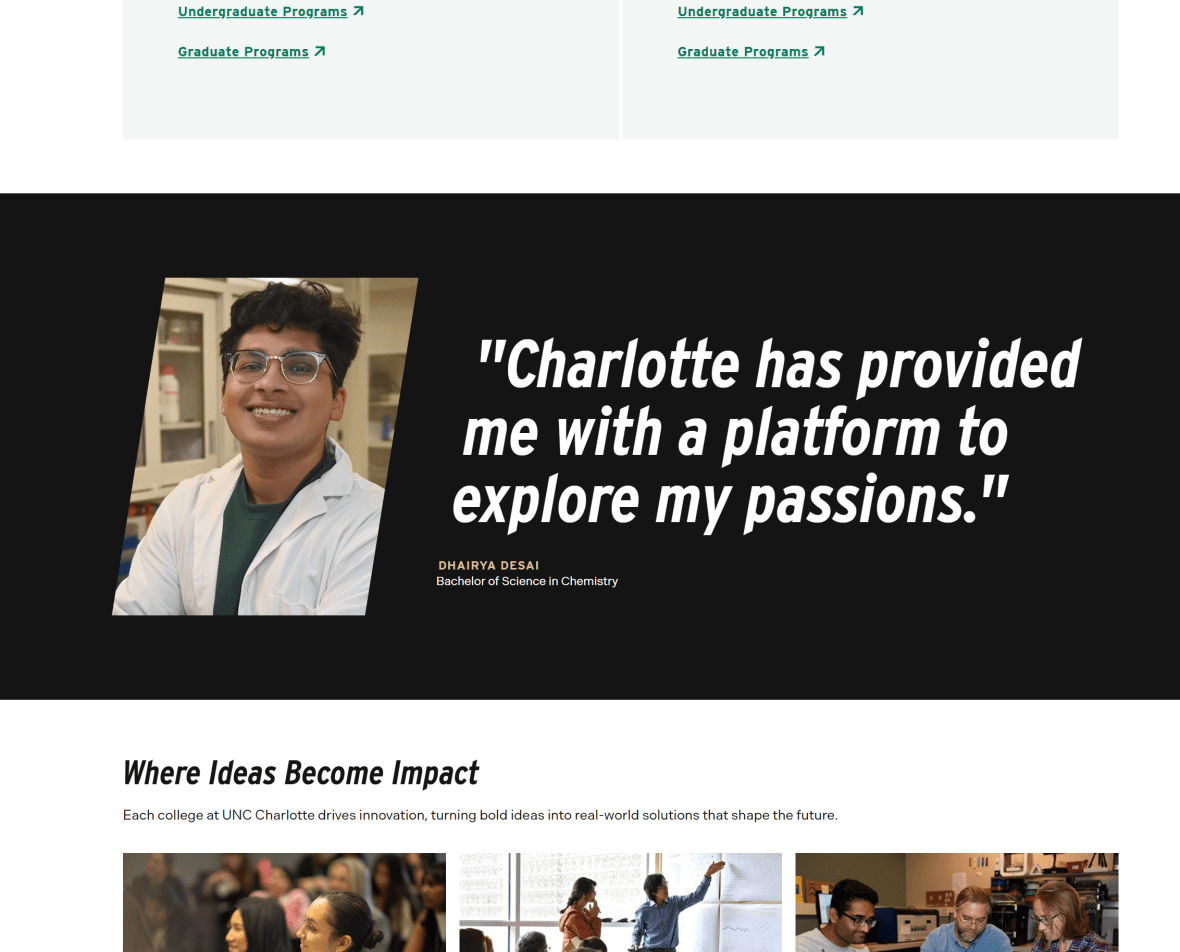
Use short, authentic quotes that highlight real experiences or meaningful outcomes. Always include proper attribution, such as a name, title, role, or affiliation to add credibility and context. Keep testimonials concise and focused on a single message to maximize impact. Use this block sparingly so testimonials remain impactful and visually distinct. Ensure the content aligns with the page’s overall message and supports its goals.
DON’T
Avoid long or overly detailed testimonials that reduce readability; it is highly recommended to keep testimonials between 70–80 characters, including spaces (max: 95 characters totals). Don’t use generic or anonymous quotes, as they can weaken trust and authenticity. Avoid placing testimonials where they interrupt important content or disrupt the page’s flow. Don’t reuse the same testimonial across too many pages, which can make the content feel repetitive or less genuine. Avoid editing quotes in a way that changes the original meaning or tone.
Component Design Options
Below are the Testimonial Card component design options, with explanations of each and guidance on proper usage.
EDITABLE PARTS:
- Background Image: When enabled, a background image is displayed on the far right of the testimonial block beneath a subtle gradient. The image should visually relate to the quote or the individual being featured to help reinforce context and authenticity.
- Background Color: Gray, Black, White
- Image Size:
- Large: Displays a larger, rectangular image positioned to the left of the testimonial, with the quote appearing to the right. This layout is best suited for shorter testimonials under 70 characters, including spaces.
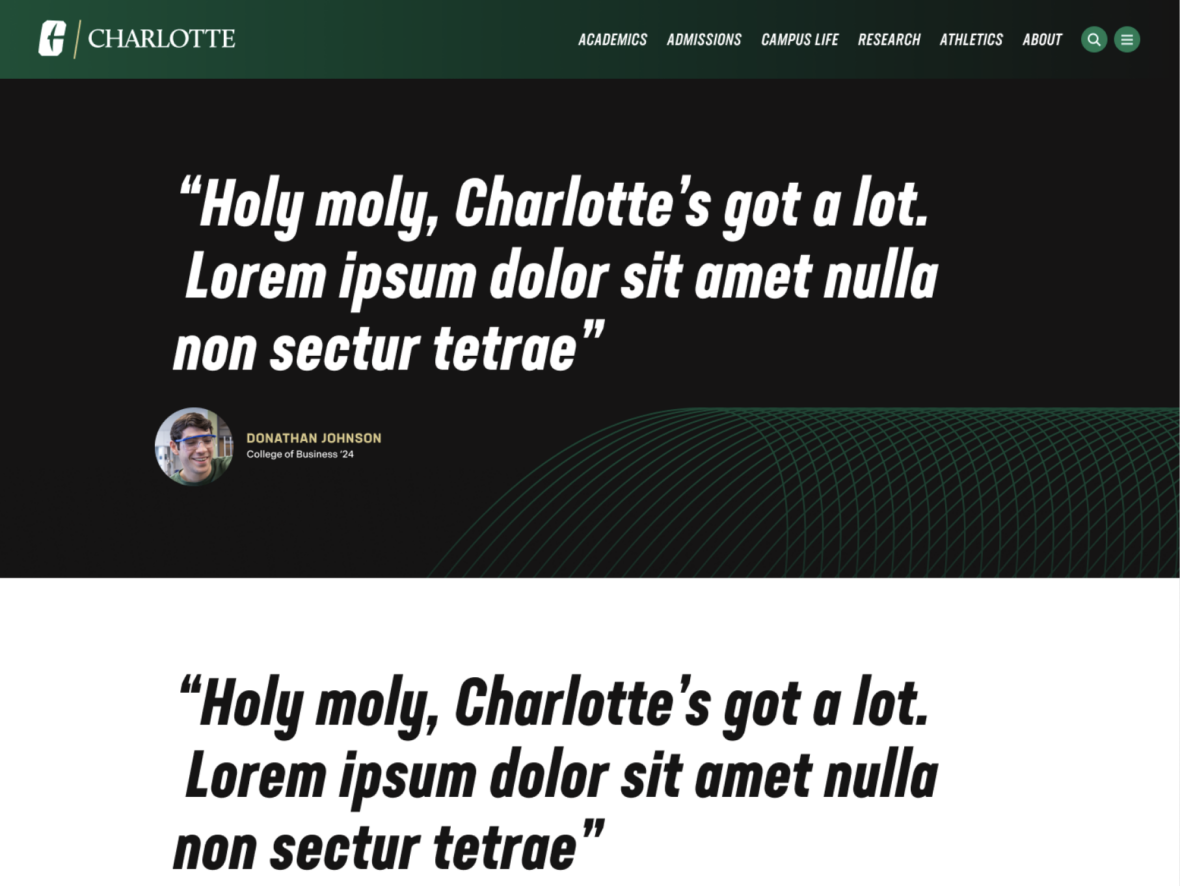
- Small: Displays a smaller, circular image positioned to the left and slightly below the testimonial text. This layout works best for longer testimonials that exceed 70–80 characters, including spaces.
- Quote: Use short, authentic quotes that highlight real experiences or meaningful outcomes.
- Name: Name or origin of the quote
- Description (optional): Best used to identify the individual’s college and graduation year, faculty or department affiliation, or current role or title, providing helpful context and credibility for the testimonial.
The example below shows the Testimonial Card in use, along with the selected configuration options.
- Background Color: Black
- Image Size: Small
- Quote: “Holy Moly, Charlotte’s got a lot. Lorem ipsum dolor sit amet nulla non sectur.”
- Name: John Doe
- Description (optional): College of Business ’24