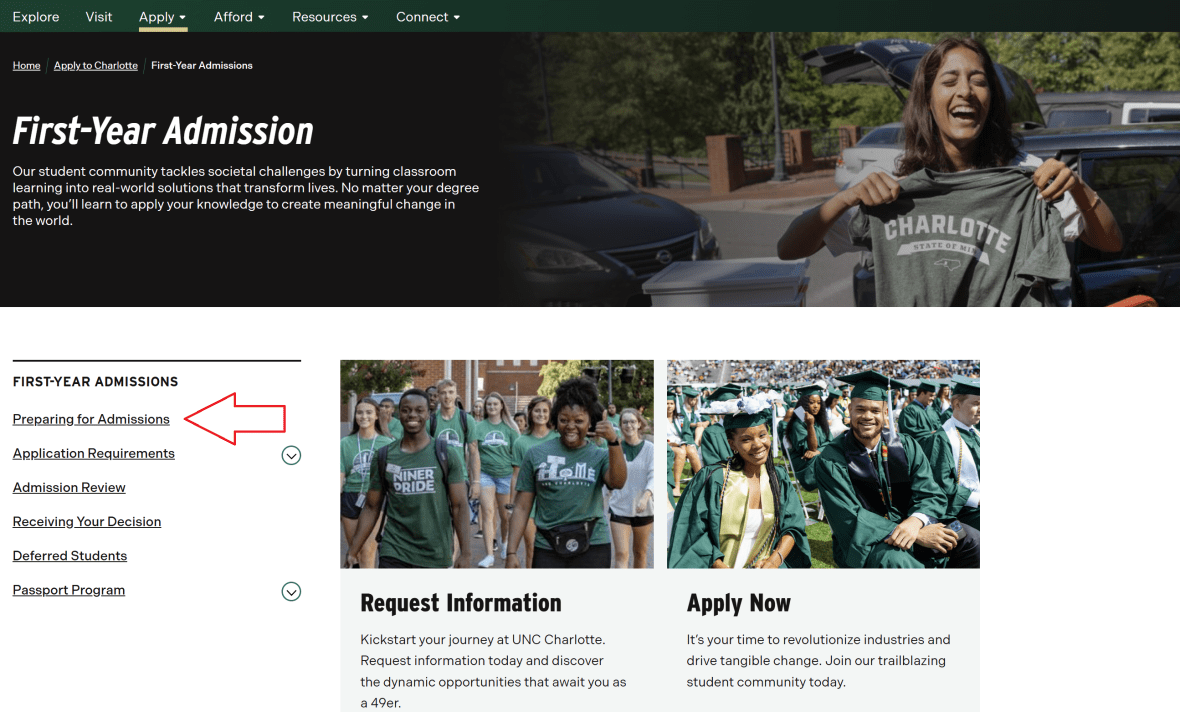
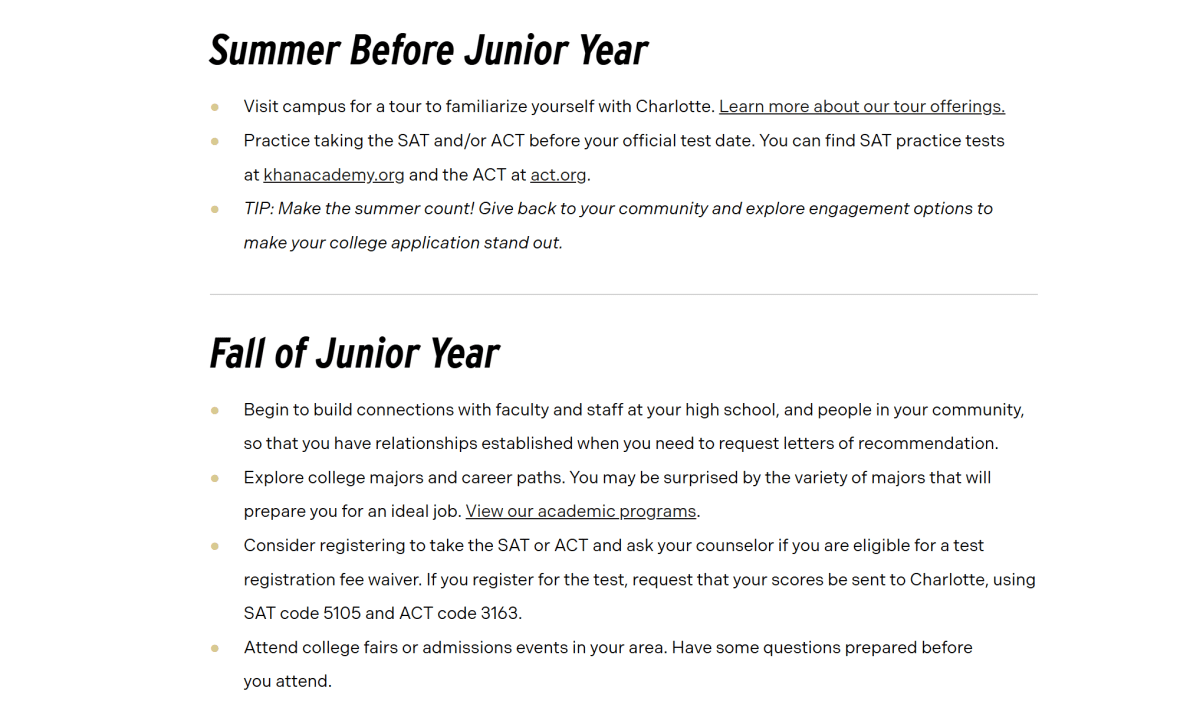
The Content Page, is the Third-Level Page serves as a detailed content page within a section of the website, sitting beneath the Overview Page in the site hierarchy. Its primary purpose is to deliver in-depth information and guidance on a specific topic—in this case, preparing for the admissions process. Unlike Section Landing or Overview Pages, which focus on navigation and context, third-level pages are information-rich and text-focused, providing the resources, instructions, and explanations users need to complete a task or understand a subject fully.
Purpose and Uses:
Provide detailed content: Offers comprehensive guidance on a specific topic, helping users understand processes, requirements, or next steps.
Support decision-making: Equips prospective students with the knowledge they need to successfully navigate the admissions journey.
Serve as a reference point: Acts as a stable, text-based resource that users can return to as needed.
Maintain hierarchical structure: Fits naturally within the section’s content hierarchy, linking back to the Overview Page and remaining consistent with the site’s navigation patterns.
Content pages are essential for delivering the core information that supports the user’s journey, ensuring clarity, completeness, and usability while keeping navigation logical and organized.
Example Content Page Breakdown
In this guide, we will use the Preparing for Admissions page on the UNC Charlotte Undergraduate Admissions website as a model for best practices in building a Content Page. Specifically, we will reference this page as an example of strong structure, clarity, and user-focused design.
Rather than overwhelming users with all admissions details at once, the page first establishes context, providing clear guidance on what prospective students need to do to prepare for the application process.
From there, the page organizes information into distinct, clearly labeled sections based on the stages of the admissions preparation journey. Through headings, lists, and structured text, visitors can quickly identify the content most relevant to their current stage, such as:
Academic Planning
Standardized Tests and Requirements
Campus Visits and Engagement
Application Timeline and Next Steps
Each section includes concise, actionable guidance that explains what users need to know and do, reducing confusion, supporting decision-making, and ensuring users do not need to rely solely on the main navigation menu to access critical information.
This example demonstrates several key best practices for Content Pages:
Clear orientation: Provide a brief but meaningful introduction to the page topic and its purpose.
Stage-based organization: Group content by logical steps or workflow that match the user’s journey.
Scannable layout: Use headings, lists, and paragraphs to make content easy to read and navigate.
Action-oriented guidance: Include links or references to next steps, related resources, or key actions.
By modeling your Content Pages after this approach, you help users quickly understand where they are, what information is relevant, and what actions they should take next—ultimately improving usability, engagement, and overall user experience across your site.
Page Header: Small Header Option Required for Content Pages
On Content Pages like Preparing for Admissions, Large and Medium headers are not required. Instead, a Small Header is used to introduce the page topic in a concise, unobtrusive way. This approach keeps the focus on the content-rich information that makes up the bulk of the page, rather than drawing attention to the header itself.
Purpose of the Small Header:
Provide context: Briefly communicates the page’s topic and purpose without overwhelming users.
Maintain focus on content: Keeps the user’s attention on the detailed guidance and instructions below.
Support visual hierarchy: Differentiates the page title from other headings within the page while maintaining a clean, organized layout.
Strategic Choice:
The Small Header is positioned at the top of the page, immediately above the text content. This placement ensures users understand the topic at a glance while allowing the content to take priority. By minimizing the visual prominence of the header, the page emphasizes clarity, readability, and the step-by-step guidance that users are seeking, which aligns with the primary purpose of a third-level Content Page.
On Content Pages such as Preparing for Admissions, standard text blocks and bullet points are the primary means of presenting information. These basic content elements are highly effective for Content Pages because the primary goal is to deliver clear, detailed guidance rather than provide navigational cues or visual distractions.
Purpose of Using Titles, Text and Bullet Points:
Clarity and readability: Plain text ensures that information is easy to read and understand without unnecessary visual clutter.
Scannability: Bullet points break complex instructions or lists into digestible chunks, allowing users to quickly locate the information they need.
Flexibility: Text blocks can accommodate a variety of content types—steps, tips, timelines, or descriptions—without requiring additional design elements.
Focus on content: By keeping the presentation simple, users can focus on the substantive guidance provided, which is the core purpose of a third-level Content Page.
Consistency: Using standard text and bullets maintains a predictable structure across Content Pages, helping users navigate and process information efficiently.
Strategic Placement:
Text and bullet points are used throughout the page in a logical sequence, often under headings or subheadings that reflect stages in the admissions preparation process. This structure supports the user’s natural reading flow, allowing them to progress through content step by step and reference key details as needed.
Overall, standard text and bullet points are more than sufficient for Content Pages because they prioritize clarity, usability, and accessibility, ensuring that detailed guidance is easy to find, understand, and act upon.
Example Content Page
This concludes the walkthrough of the Content Page Guide. To see all of these components in action and explore a fully built page, click here to view the complete Preparing for Admissions Content Page example.